
Inspect incidents before responding
Open Security → Attacks (#attacks). The banner distinguishes detection off, detect-only and automatic response. Read it before assuming the system is blocking anything.
Collect evidence
Choose all devices, only reachable devices, or one named device, then select Scan now. Unprobed devices are included in the reachable selection; known-offline devices may be skipped. The scan reads recent evidence and correlates incidents. Skipped devices and Detectors that could not run remain unknown.
The page shows seven-day incident pressure, confidence distribution, top sources, affected devices, detectors and last-seen times. Open incident evidence before treating a failed login or scan as a confirmed compromise; confidence and severity describe the detector's evidence, not an independent forensic conclusion.
Block or revoke
A response request first produces a plan naming source, devices and timeout. Review it, then choose Block it or Cancel. Guards may refuse the response or escalate it without blocking. In automatic response mode, eligible incidents may already trigger the configured policy.
Response log records outcomes and expiry/permanent status. Unblock revokes a recorded block. Check outcomes per device instead of assuming every requested block succeeded.
Schedule posture checks
Select an enrolled auditor and cron preset, then Schedule it. This uses the same host-side scheduler as Schedules, notifying on new/worsened findings. With Only reachable selected, the schedule still targets all devices; that reachability filter applies to the manual scan, not the recurring job.
See attack detection and response guards and port-scan detection.
Screen preview
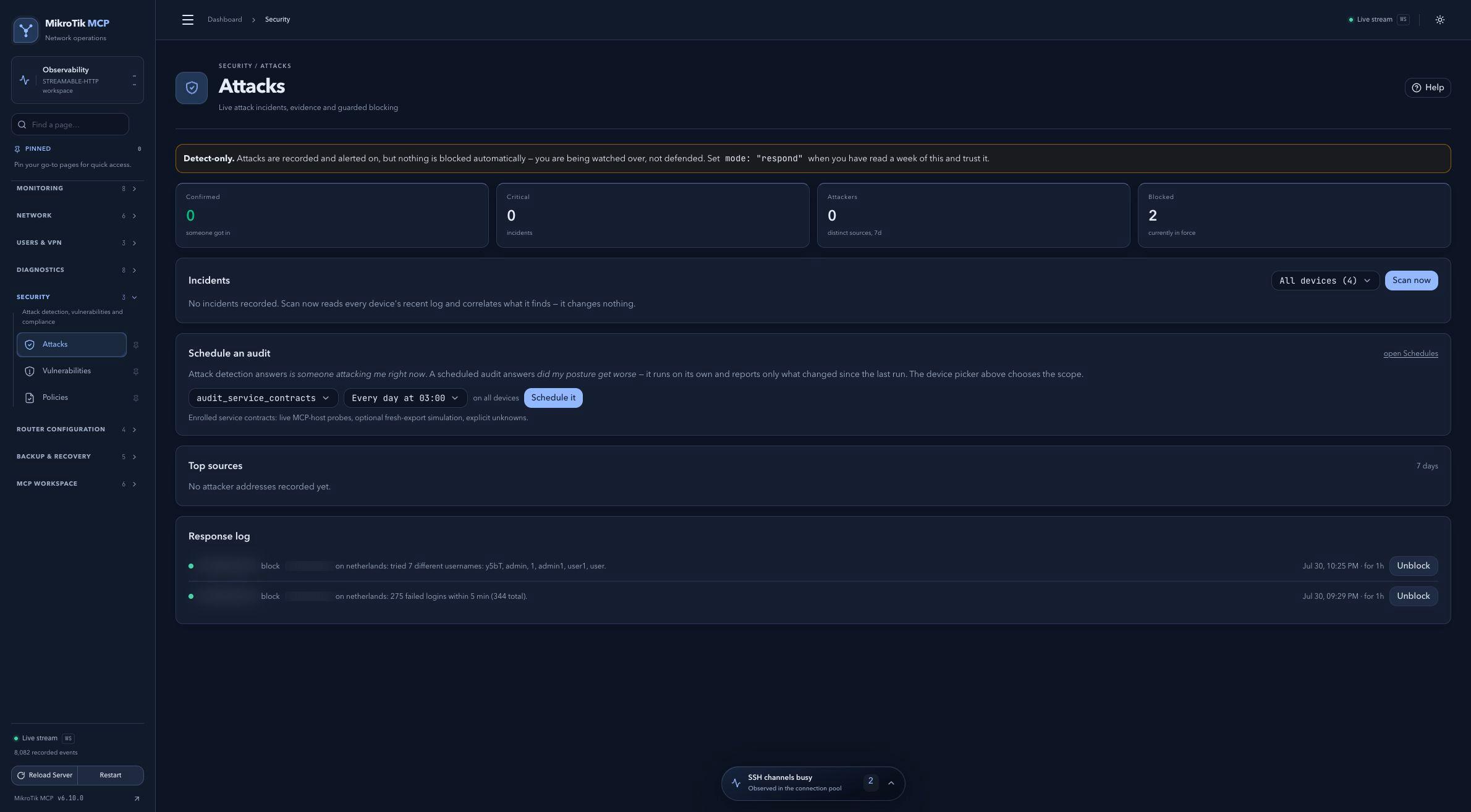 Full-page dashboard preview with IP addresses and snapshot/backup names blurredFull page · Click to enlarge ↗
IP addresses, snapshot/backup names and AAA/OpenVPN usernames are blurred in this full-page capture.