
Explore discovered neighbors
Open Network → Topology (#topology). The map distinguishes managed routers from discovered neighbors. The central MCP node shows management relationships; its connecting lines are not physical cables or measured traffic paths.
Search by name, identity, IP, MAC or board. Onboardable dims nodes that cannot currently be added. Hover to focus neighboring relationships; select a node to open its inspector.
Navigate and inspect
- Drag to pan; use the wheel or +/− to zoom.
- Reset returns to the initial view.
- Managed-router rings show reported CPU and memory usage. Status colors distinguish online/offline management observations.
- Neighbor links can include the reporting interface. Discovery is not a complete host inventory.
When the inspector offers Add to config, it prepares a device setup draft using the discovered information. Review credentials, test connectivity and save through Devices; discovery alone does not grant management access.
Use L2 Fabric for hosts grouped by bridge port. Disabled discovery, missing neighbor reports or offloaded traffic can leave either view incomplete.
See discovery.
Screen preview
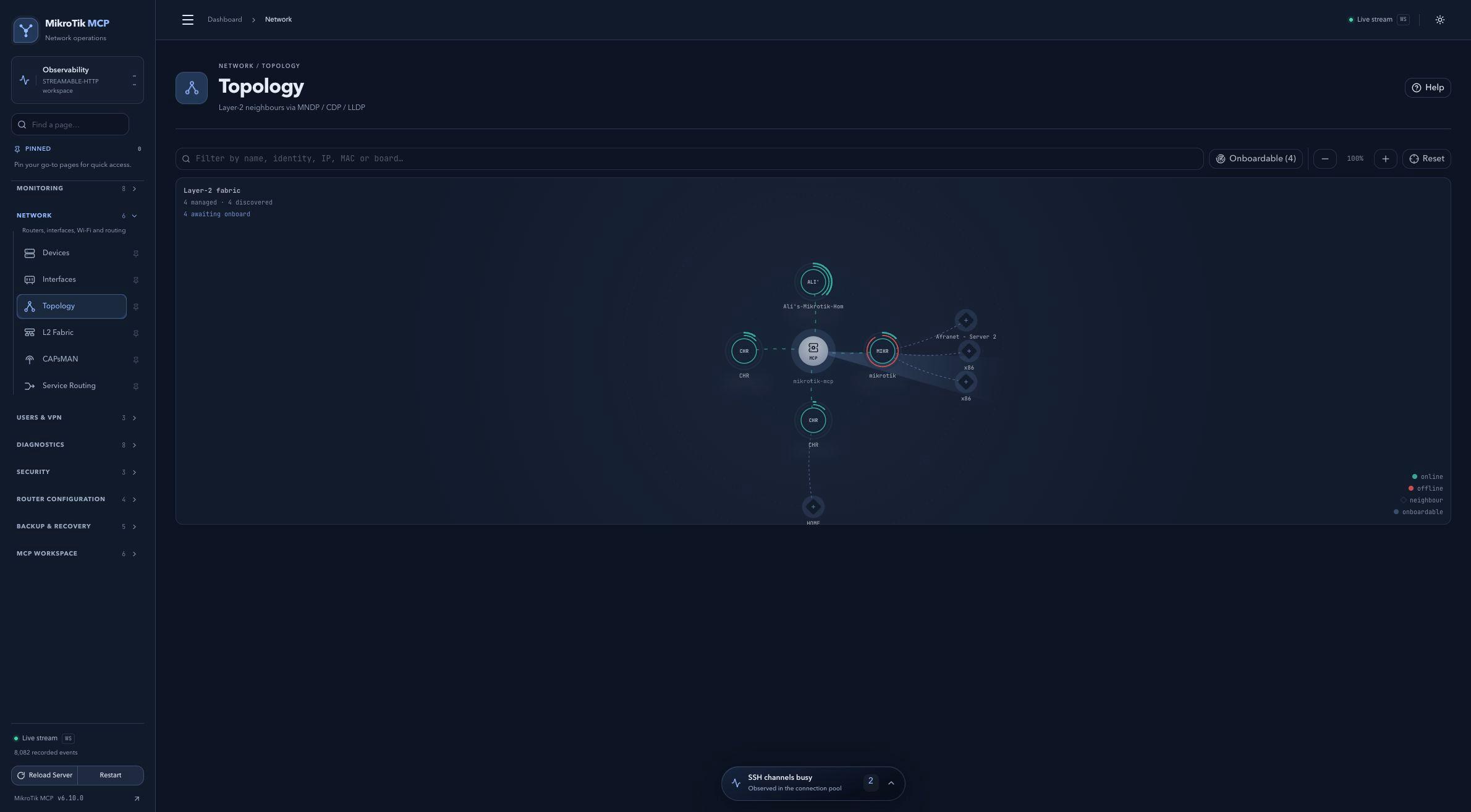 Full-page dashboard preview with IP addresses and snapshot/backup names blurredFull page · Click to enlarge ↗
IP addresses, snapshot/backup names and AAA/OpenVPN usernames are blurred in this full-page capture.