
Inspect existing configuration
Select a router and open Router configuration. This read-only inventory includes IPv4/IPv6 routes, mangle rules, policy-routing rules, tables/VRFs and referenced address lists. It includes configuration that MCP did not create.
Search addresses, list names, comments and gateways; filter by IP family and routing table. Inspect opens the original row and related evidence. Referenced address lists have compact, searchable entries; the address-list search can match an IP or comment across lists. A gateway's address and interface are displayed separately.
A failed section is marked unavailable, not empty. Retry it without assuming that the router has no routes.
Create a scoped MCP policy
- Choose New MCP policy and enter a name and IP family.
- Optionally enter an exact domain or wildcard and review the DNS requirement. Domain matching depends on router DNS answers; encrypted client DNS and shared CDN addresses limit accuracy.
- Enter explicit client subnets; default-route source scopes are rejected. Choose up to three approved exits with an active default route, and select the primary exit.
- Optionally select an approved service probe. Use the Service Probes manager to define its protocol, destination boundary and timeout. A manual route does not require an HTTPS probe.
- Save draft, choose an exit's Preview, review the exact commands/blockers and apply only after the required confirmation.
Drafts do not touch the router. The other IP family is unchanged. Existing overlapping rules and FastTrack can block safe application; inspect the explanation before changing precedence.
Observe a policy
MCP policies shows only saved MCP policies, their current exit, approved fallbacks, last evidence and decision history. Check exits gathers probe evidence; an HTTPS exit check needs a matching VRF to prove the selected path.
The traffic panel shows observed download/upload totals and rates for the policy's rules. Treat missing/uncertain samples as unknown. These are routing-rule counters, not a list of individual browsing sessions.
Authorize failover grants a time-limited window for automatic switching after the configured consecutive failures and cooldown. Pause automation revokes that window. Remove policy… previews removal of the managed policy before confirmation.
Reusable address sets
The Address sets workspace composes reusable prefix sets, reviews revisions and stages deployment to router lists. This is distinct from live inventory and from a domain policy. Read address sets for merge, validation and rollout details.
See the full routing workflow and boundaries.
Screen preview
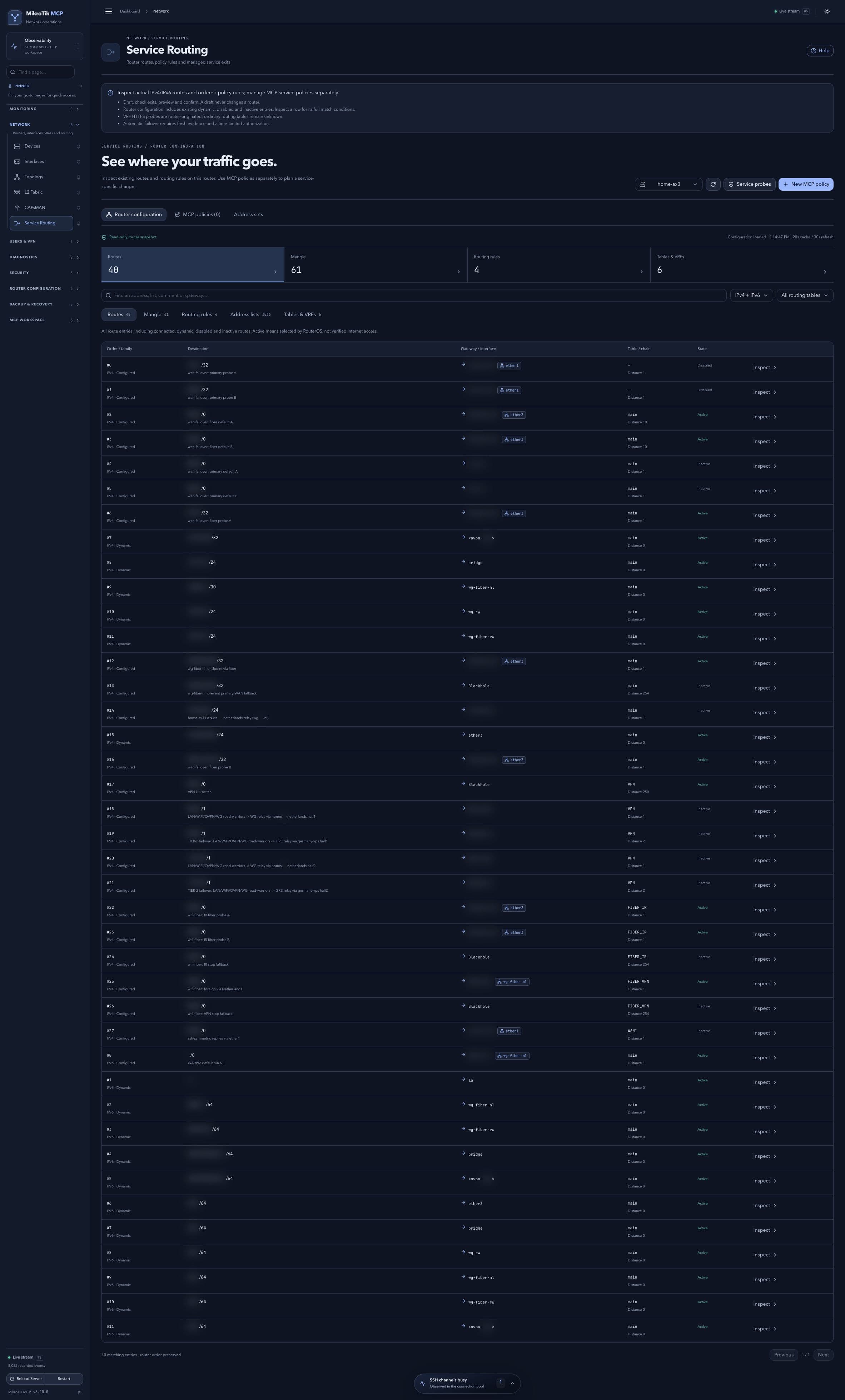 Full-page dashboard preview with IP addresses and snapshot/backup names blurredFull page · Click to enlarge ↗
IP addresses, snapshot/backup names and AAA/OpenVPN usernames are blurred in this full-page capture.
Additional screens
Domain policy draft
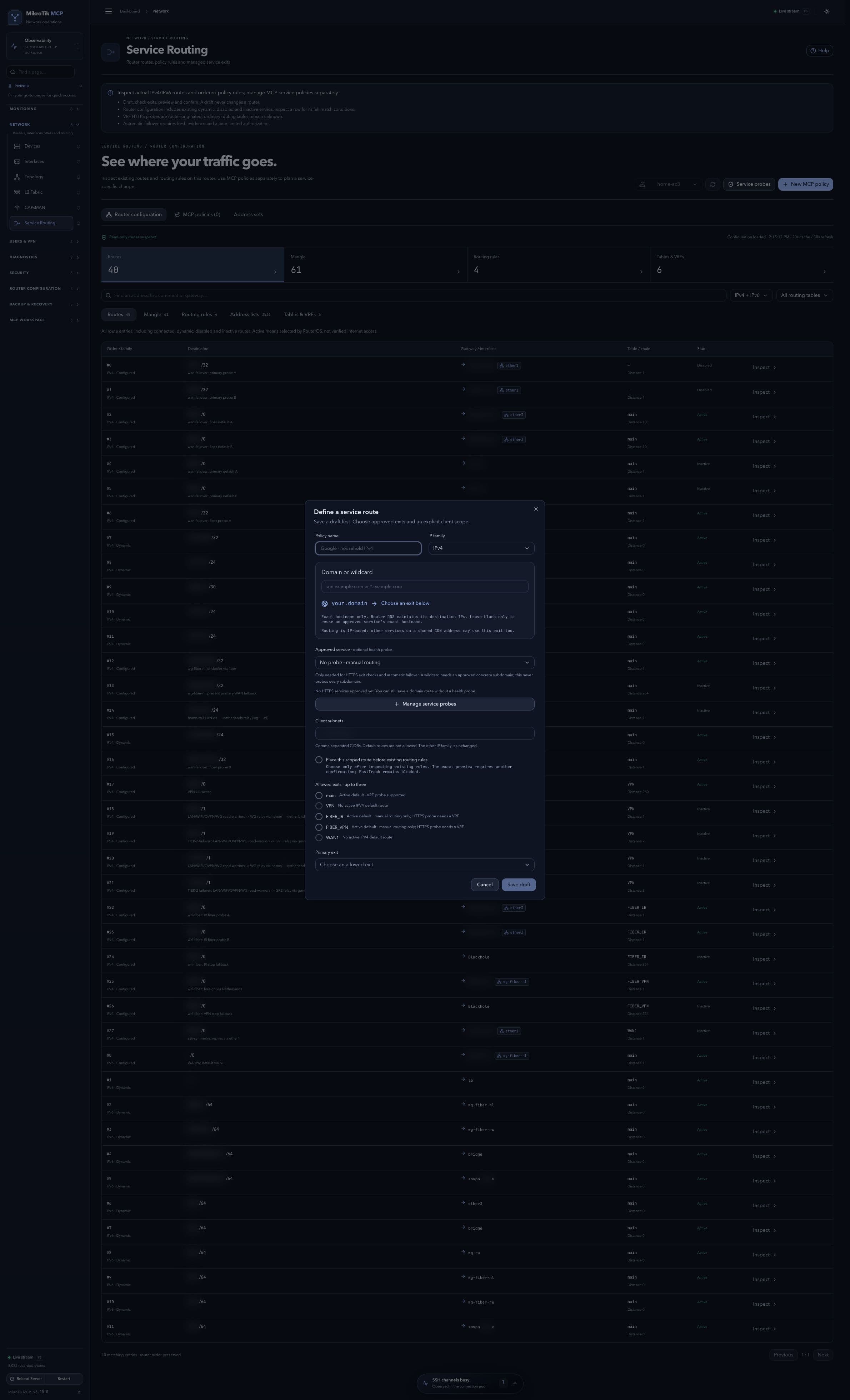 Domain policy draft; full-page capture with IPs and snapshot/backup names blurredFull page · Click to enlarge ↗
Service probe approval
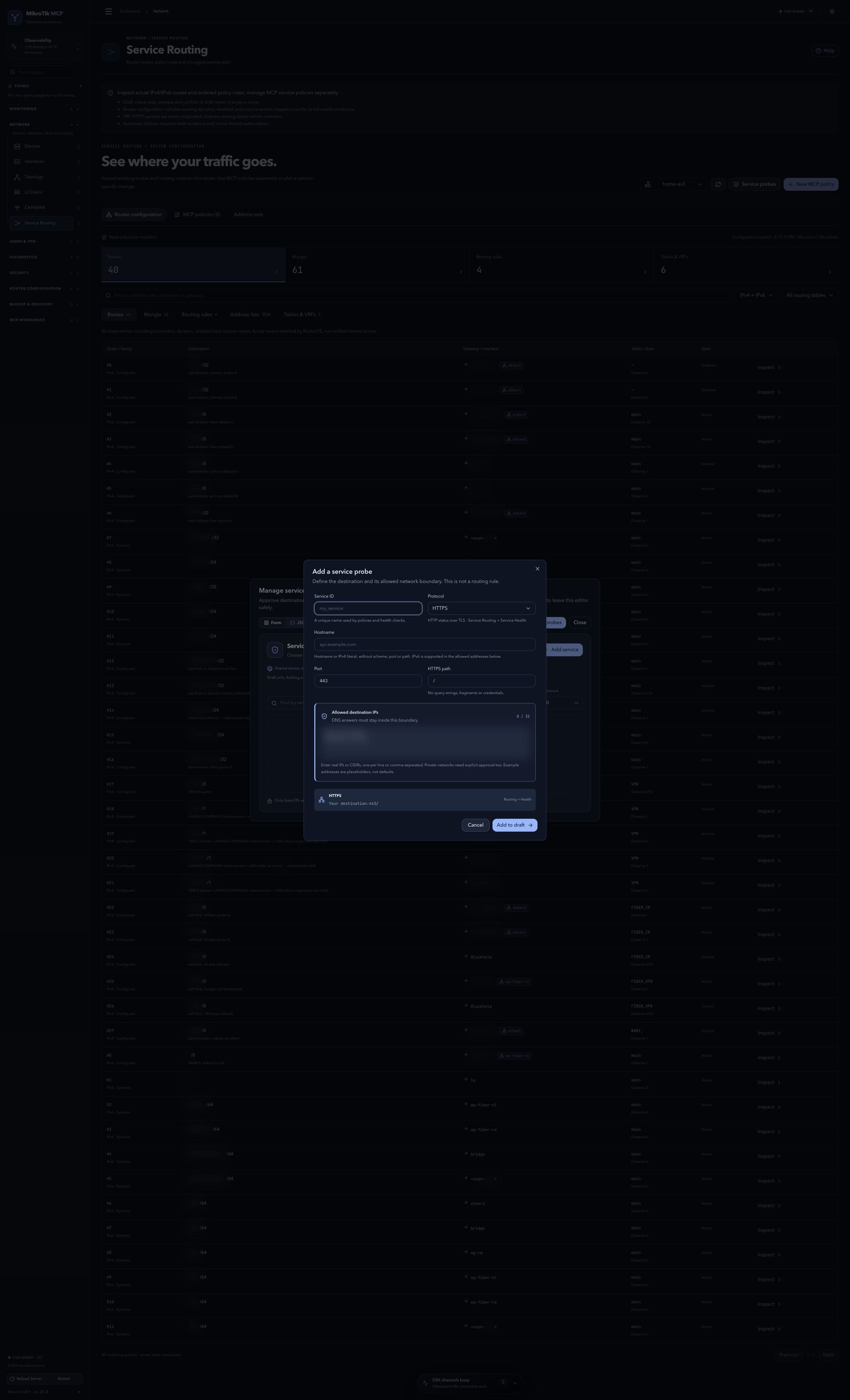 Service probe approval; full-page capture with IPs and snapshot/backup names blurredFull page · Click to enlarge ↗