
Live connections
Select a router, then use Live connections. Each row is one authenticated incoming OpenVPN session, including RADIUS users. Outbound OpenVPN clients and other PPP services are excluded.
| Control or value | How to use it |
|---|---|
| Summary | Read active sessions, distinct usernames and the longest current connection. |
| Search | Match a username, session ID, source/tunnel IP, country or source network. |
| Source network | The flag, country and ASN describe the public source IP, not the person's identity. |
| Downloaded / Uploaded | Router-reported byte totals for this connection. These are separate from lifetime User Manager accounting. |
| Rate below each total | A difference between consecutive valid reads, shown in bytes per second. Measuring… needs another sample; Unavailable is not zero. |
| Refresh | Fetch a fresh session view; the visible page also polls every five seconds. |
| Disconnect | Review the selected router, username and exact session, confirm, then end that connection. The account stays enabled and may reconnect. |
Stale/error data freezes the connection clock. A failed read does not mean nobody is connected. A stale disconnect selection must be refreshed before it can be submitted.
History & insights
The local background collector keeps session history while the dashboard service runs, even with the page closed. Open History & insights to:
- Filter an exact username and a local-time From / Through range; use 7, 30, 90 days or All recorded.
- Compare connections in the range, all-recorded totals, distinct IPs, networks/countries and recorded uptime.
- Read UTC daily connection starts and a treemap grouped by People, Source IPs, Networks or Countries. Treemap tiles show counts and percentages; Networks uses the organization name when available.
- Inspect source-IP, ASN and country rankings and the paginated connection journal. Click a username in the journal to focus the report.
History is cached by router, user, range and page. It is an observed-session journal: short connections between samples and service downtime can be missing. Start time is estimated from uptime; end detection is bounded by the last successful observation. Recorded uptime is not billing time.
See collection, caching and retention details.
Screen preview
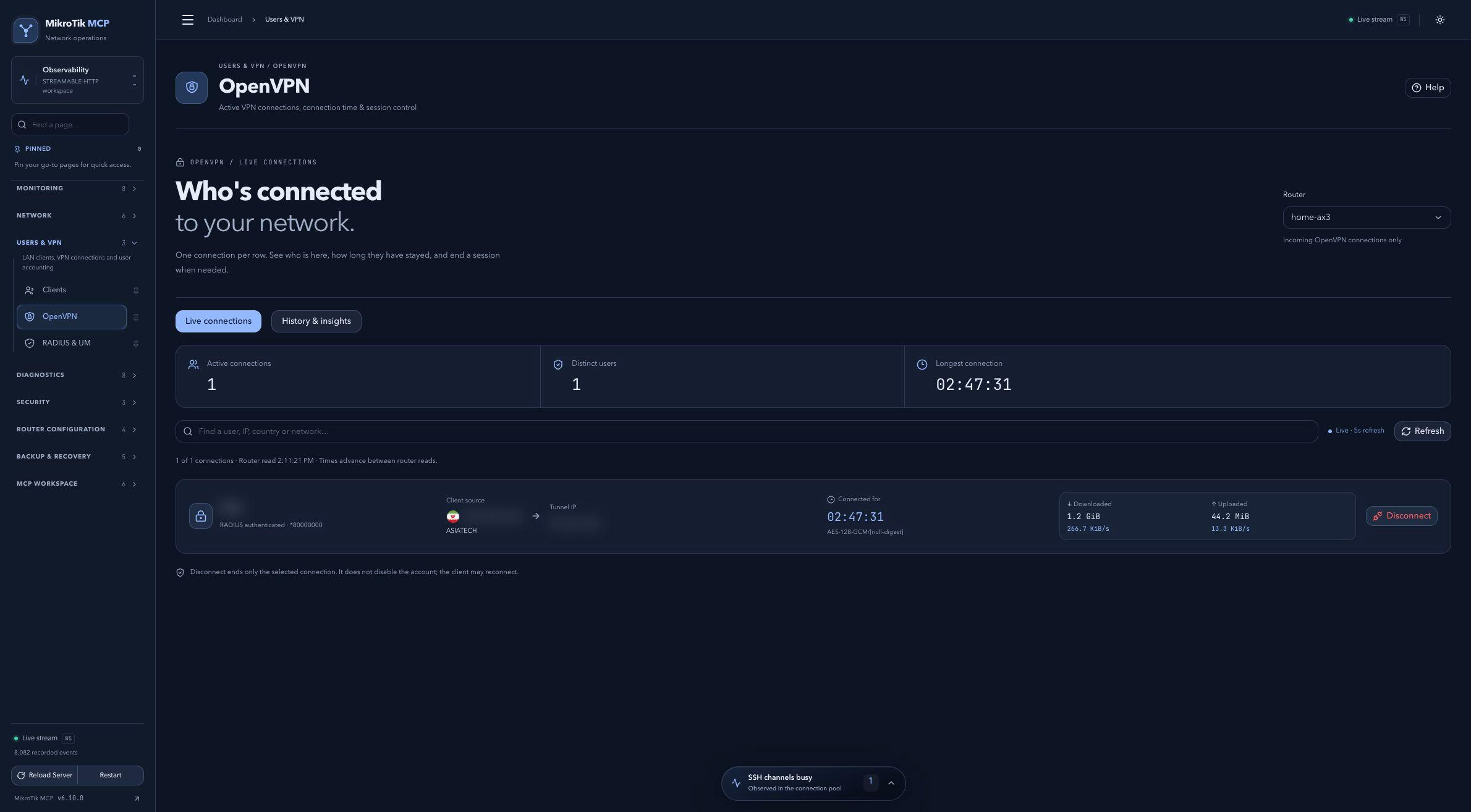 Full-page dashboard preview with IP addresses and snapshot/backup names blurredFull page · Click to enlarge ↗
IP addresses, snapshot/backup names and AAA/OpenVPN usernames are blurred in this full-page capture.
Additional screens
History and distribution
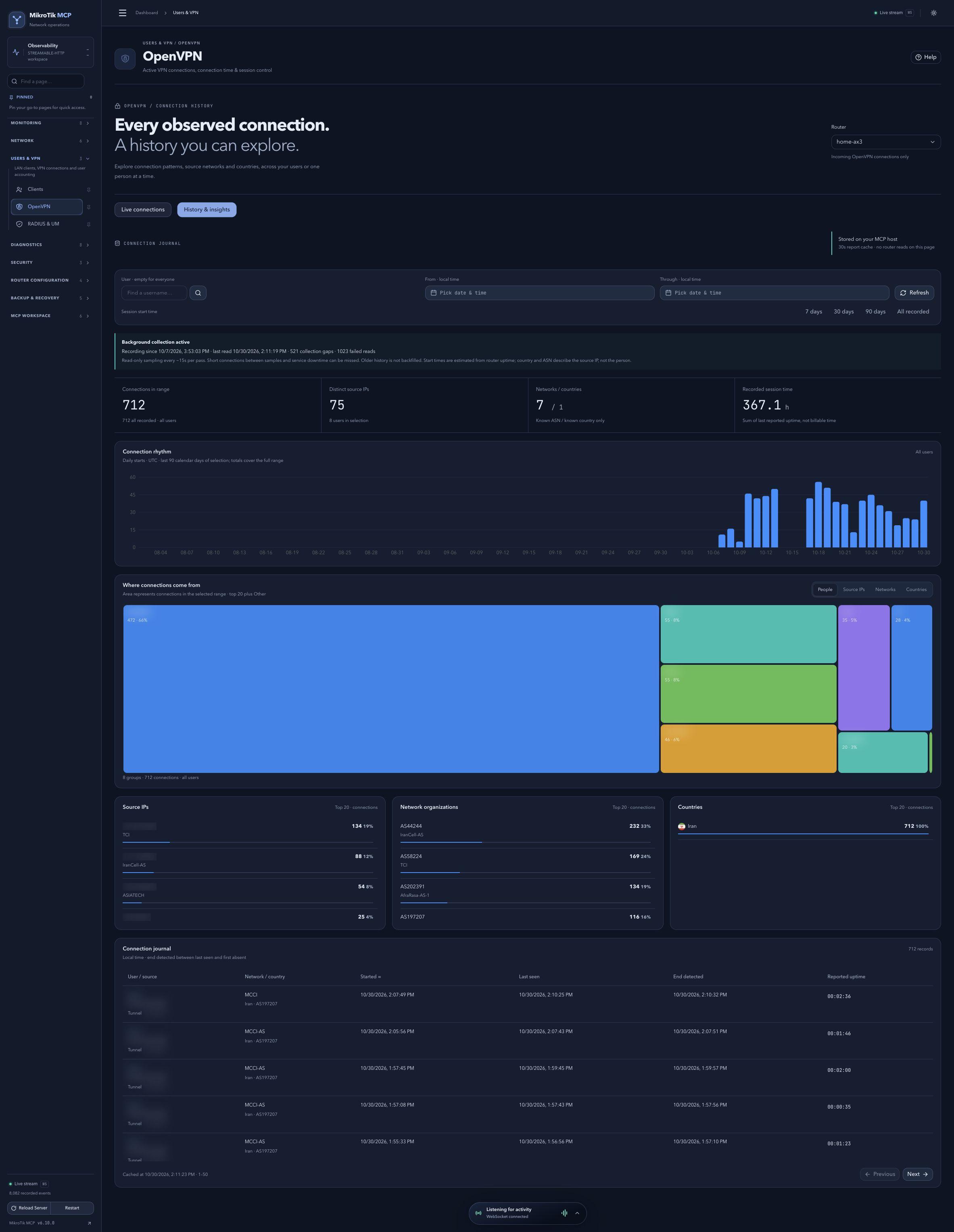 History and distribution; full-page capture with IPs and snapshot/backup names blurredFull page · Click to enlarge ↗