
Inspect saved configurations
Open Backup & recovery → Snapshots (#snapshots). This page lists saved configuration exports with capture time, router, label, RouterOS version, line count and size.
Capture a new export through the capture_config_snapshot tool, then choose Refresh. Opening the page does not capture automatically.
Select a row to read its saved export. Close hides the export panel without deleting the snapshot.
Compare two captures
Choose diff from… and to…, then Diff →. The summary reports added and removed lines, or identical content. The unified diff describes those saved versions, not necessarily the router's present configuration.
Snapshots also supply evidence for Drift Guard, Simulator, Round-trip Lab and Recovery Lab.
A text export is not a complete binary backup and does not preserve every secret or external database. Use the backup workflow for the appropriate restore artifact.
See snapshot storage and comparison.
Screen preview
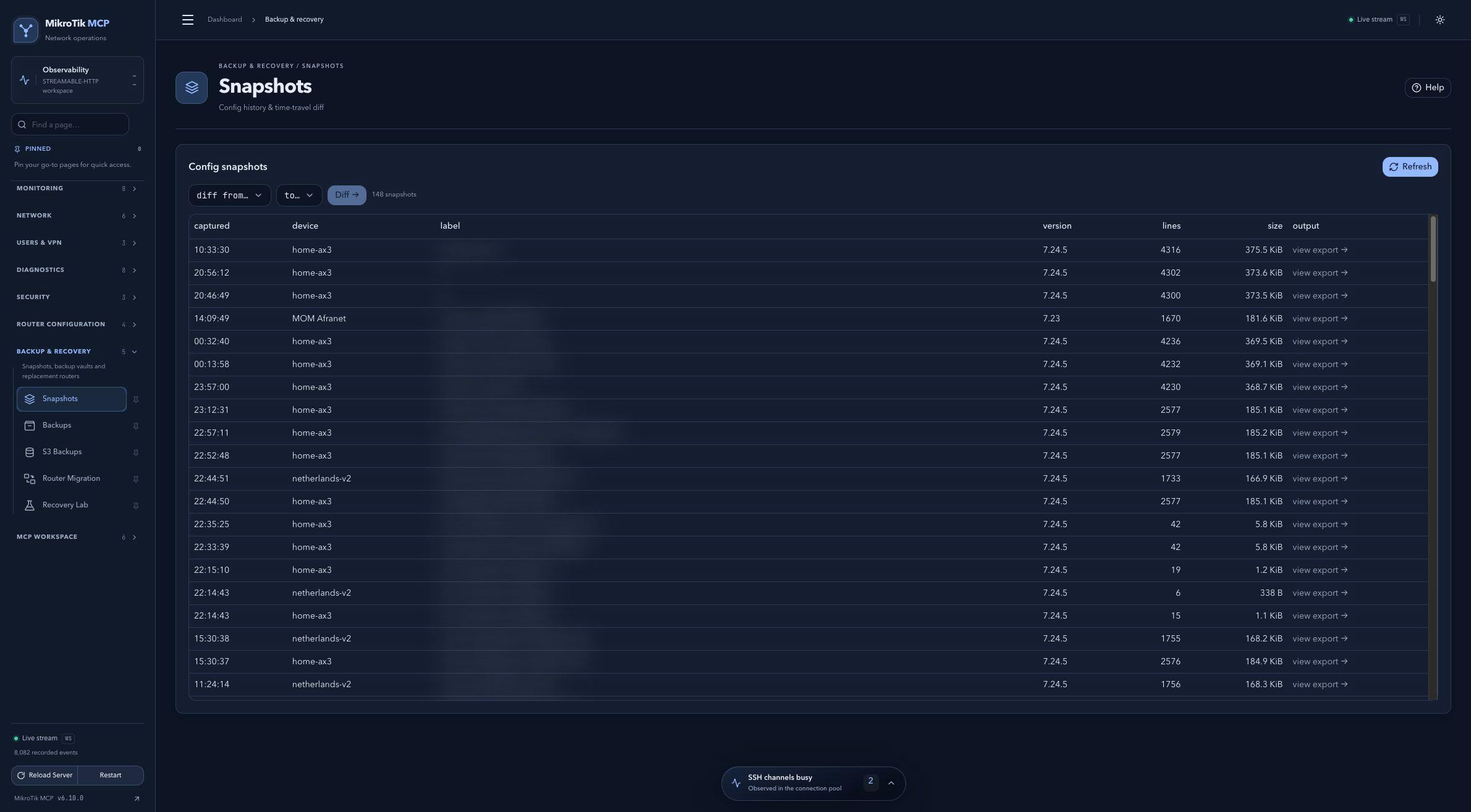 Full-page dashboard preview with IP addresses and snapshot/backup names blurredFull page · Click to enlarge ↗
IP addresses, snapshot/backup names and AAA/OpenVPN usernames are blurred in this full-page capture.