
Diagnose and manage household connectivity
Open Monitoring → Home Internet (#home-internet) and choose the router. Refresh saved data loads stored inventory/policies; Discover devices & paths performs a fresh read of DHCP inventory and routing tables. The first scan establishes a baseline; later scans identify new MAC addresses. Random/private MACs may appear as new devices.
Find the slowdown
Choose an affected device and a website or IPv4 address, then Check my connection. The report separates observed evidence, suspected causes and unknown measurements across router/DNS/Wi-Fi/internet checks. It is not a speed test and does not verify application delivery, VPN throughput or MTU. Use Investigations for devices absent from DHCP inventory.
Your household
Friendly device/person names are saved locally in this MCP. Saving a name acknowledges a new-device notice; it does not rename the router's DHCP entry.
Select a client, then Pause routed access or Meeting priority, with a duration and optional delayed start. Priority works within an existing QoS setup; it does not invent available bandwidth. Policies require a static DHCP lease and pass IPv6/FastTrack prerequisite checks.
Choose a path
Compare up to three existing routing tables to the same IPv4 destination. Five small probes per path report loss, average RTT and RTT range. The calls/gaming/download goal changes interpretation; no bulk download occurs and a download-capacity claim cannot be inferred from these probes.
Choose for preview only fills a selection. To switch one device, select a ready table and duration, then Review path change. Local/private destinations are excluded and IPv6 retains its current route.
Apply and undo
Review the exact commands, undo commands, warnings and preview expiry. Confirm the client, route and duration before Apply this temporary change. Existing connections can disconnect. The response names the pre-change snapshot and router-side expiry; verify actual client delivery separately.
History shows saved status, not live proof of cleanup. After expiry, use Undo / reconcile → Confirm undo to verify/remove only that policy's objects and restore its prior queue priority. No whole-router restore is performed.
See network workspaces for prerequisites and MCP tools.
Screen preview
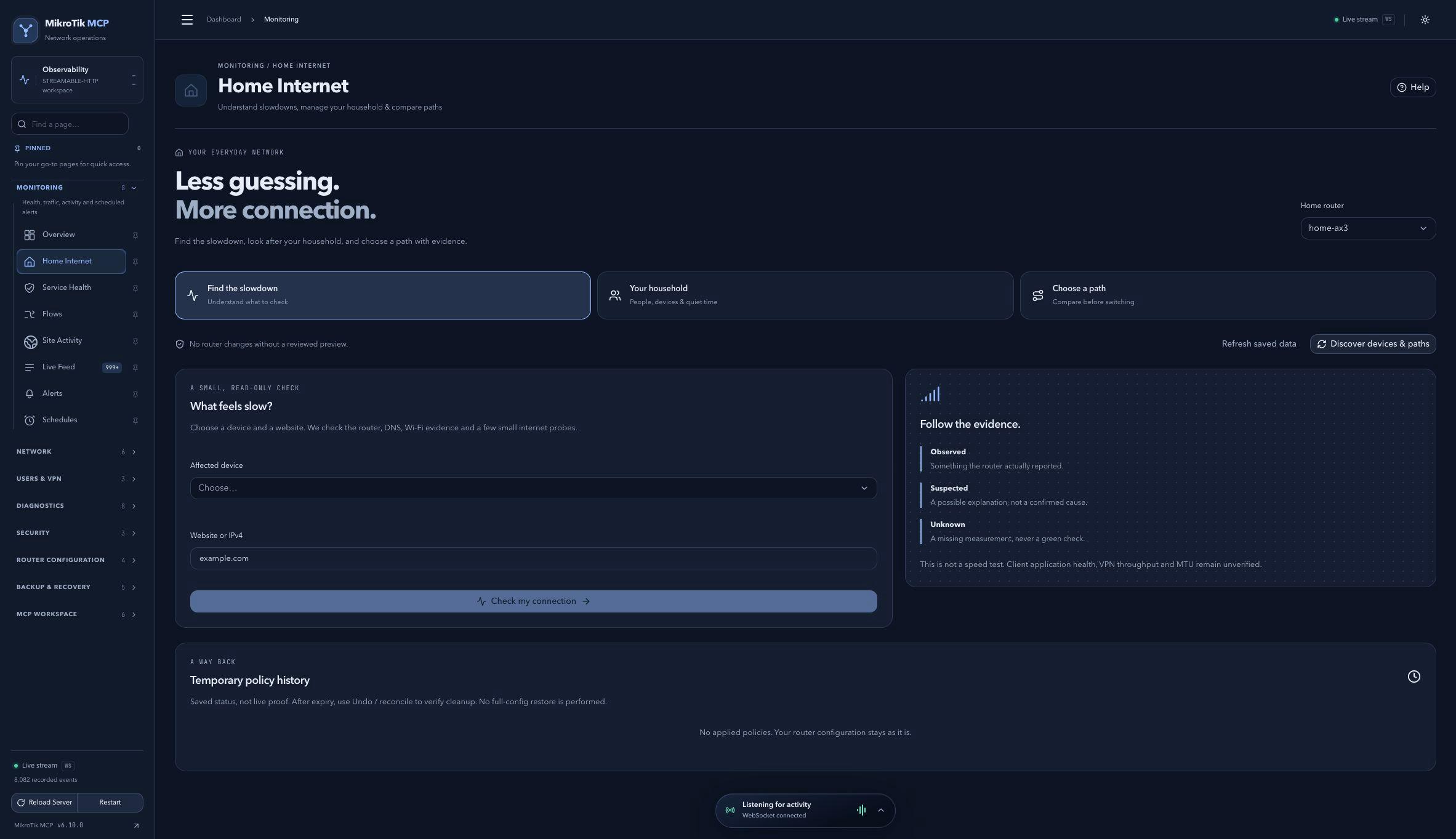 Full-page dashboard preview with IP addresses and snapshot/backup names blurredFull page · Click to enlarge ↗
IP addresses, snapshot/backup names and AAA/OpenVPN usernames are blurred in this full-page capture.