
Look up an address
Open Diagnostics → IP Intelligence (#ip-intelligence). Enter an IPv4 or IPv6 address and choose Look up IP. The example buttons fill the input; they do not send a request.
Public addresses are sent to ipquery and ipkit from the MCP host. Private addresses stay local. This lookup does not contact a router.
Read and export the result
| Control or indicator | Meaning |
|---|---|
| Fresh / Cached, received time and expiry | How current this report is; refreshing the page does not make cached information fresh. |
| Provider count | How many providers returned data. One failed provider does not discard the other result. |
| Provider card | Independent status, elapsed time, organization, ASN and approximate location. |
| Search fields | Filters nested field names and values inside that provider's response. |
| Original JSON · all fields | Expands the complete provider payload, including fields not featured in the summary. |
| Copy report / Export JSON | Copies or downloads the complete report. If clipboard access fails, use the download. |
A provider request has an eight-second deadline. Editing the address clears the previous result so an older response cannot be mistaken for the new input.
Interpret carefully
ASN, organization, location and risk labels describe provider observations. They do not establish a person's identity, prove malicious activity or confirm the route your traffic takes. Compare the independent cards when providers disagree.
See provider behavior and caching and the IP Intelligence tool reference.
Screen preview
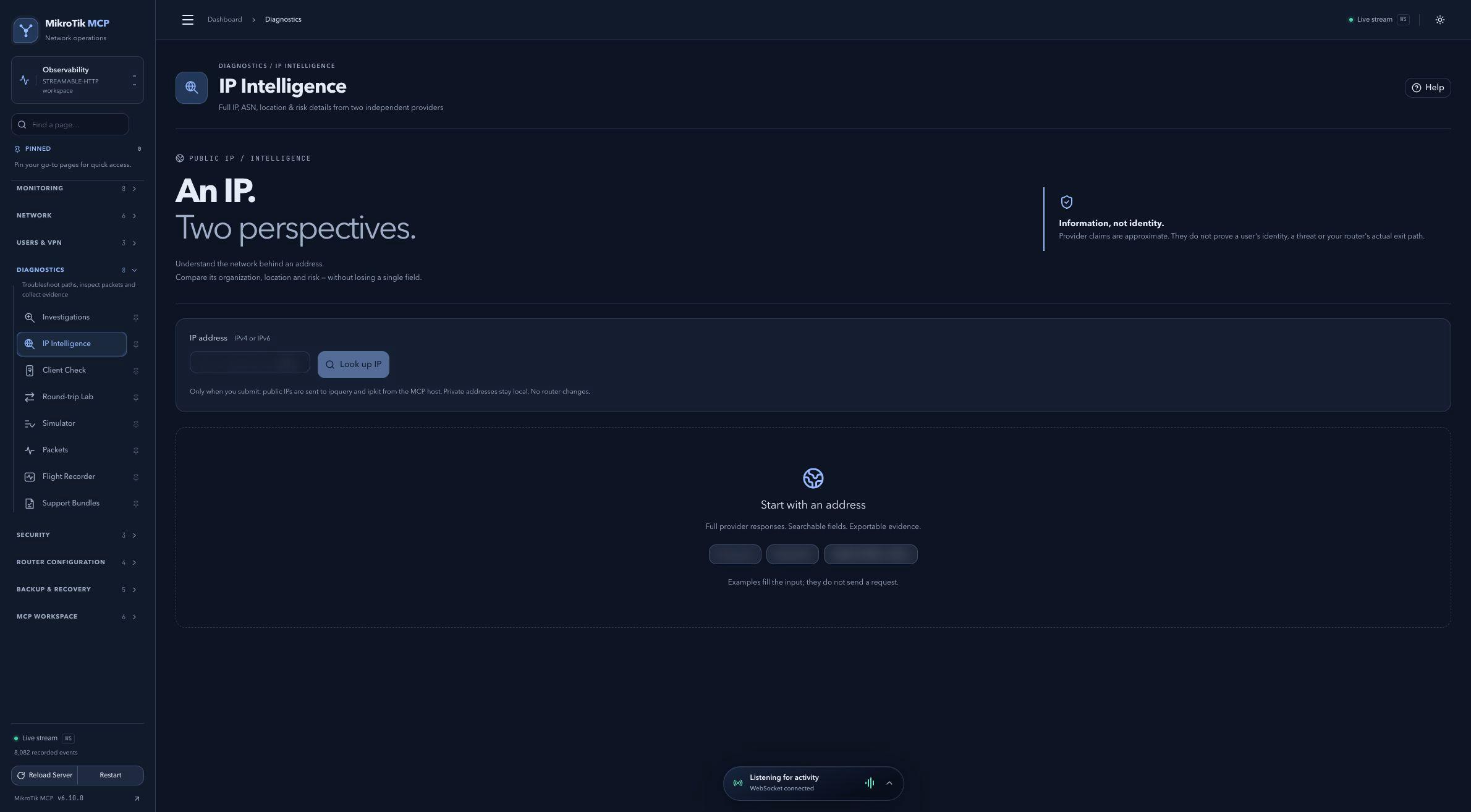 Full-page dashboard preview with IP addresses and snapshot/backup names blurredFull page · Click to enlarge ↗
IP addresses, snapshot/backup names and AAA/OpenVPN usernames are blurred in this full-page capture.