
Define a repeatable service check
Open Monitoring → Service Health (#service-contracts) and choose the owning router.
- Enter a contract name and maximum latency in milliseconds (1–10,000).
- Select up to ten approved endpoints.
- Optionally enter a saved packet-suite ID to include a fresh-export simulation.
- Choose Save contract.
Saving does not execute probes. HTTPS checks created in this form expect status 200; the MCP tools support other explicit expected status codes.
If the endpoint list is empty, configure Service Probes in Service Routing, or configure serviceProbes.targets in Config. An approved hostname and permitted address ranges constrain where the server can connect.
Run and inspect
Each saved contract offers Run checks and View history. Running performs bounded requests and then loads the recorded results; viewing history makes no new probe.
A result contains its overall pass/fail/unknown state, start time, total duration, and each target's status, duration and detail. A missing result is not a successful check.
Understand the measurement point
These network probes originate from the MCP host, not the selected router, phone or branch. The router owns the contract; that ownership does not move the probe's origin.
A packet suite evaluates a fresh configuration export. Its result is simulation evidence, not proof that a real packet was forwarded. Scheduled execution requires separate administrator enrollment; saving a contract does not enable a background schedule.
See Service Health contracts and the tool reference.
Screen preview
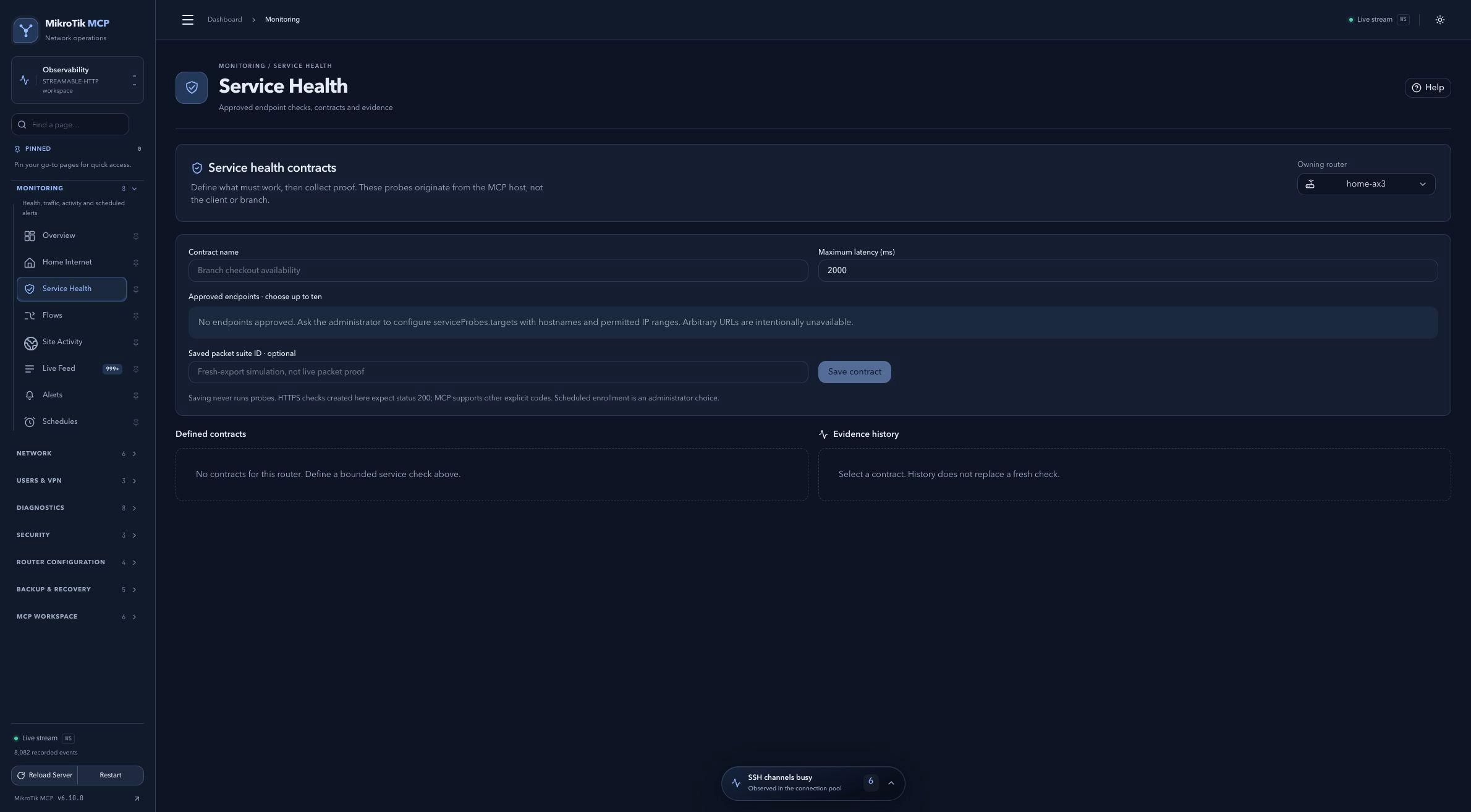 Full-page dashboard preview with IP addresses and snapshot/backup names blurredFull page · Click to enlarge ↗
IP addresses, snapshot/backup names and AAA/OpenVPN usernames are blurred in this full-page capture.