
Edit MCP settings safely
Open MCP workspace → Config (#config) to inspect effective settings, edit server configuration, browse the schema field guide and manage version history. Router connections are edited separately on Devices.
Form or JSON
Open the editor and choose Form or JSON. Both use server schema validation; read the field-specific errors before saving. The form includes dedicated service-probe and module controls. This editor changes MCP settings, not RouterOS configuration.
- Edit a draft and choose Preview diff.
- Select the auto-revert window; the initial window is 60 seconds. Choosing no window removes that timed protection.
- Save, then verify the result and select Keep changes before the countdown expires, or Revert now.
- Closing an unsaved draft asks whether to discard it. A pending save must be settled first.
Some settings are applied live, while startup listeners or client tool metadata may require a server restart or MCP reconnect. Follow the save response and configuration guide; a valid schema alone does not prove a new endpoint is reachable.
Field Guide
Search configuration paths or descriptions. Entries show types, required markers, defaults and enum values from the server schema. This is the reference for the running server, not an independent configuration editor.
Version history
Save checkpoint creates a named version. History displays automatic/checkpoint entries, stored size, retention and differences against the current configuration. Diff expands the comparison; Restore → Confirm restore applies a historical MCP configuration. Check whether the result was persisted or only applied live.
Deleting a checkpoint removes that saved version, not router backups. Configuration history is separate from Snapshots and the backup vault.
See Config Studio for persistence, secrets and recovery.
Screen preview
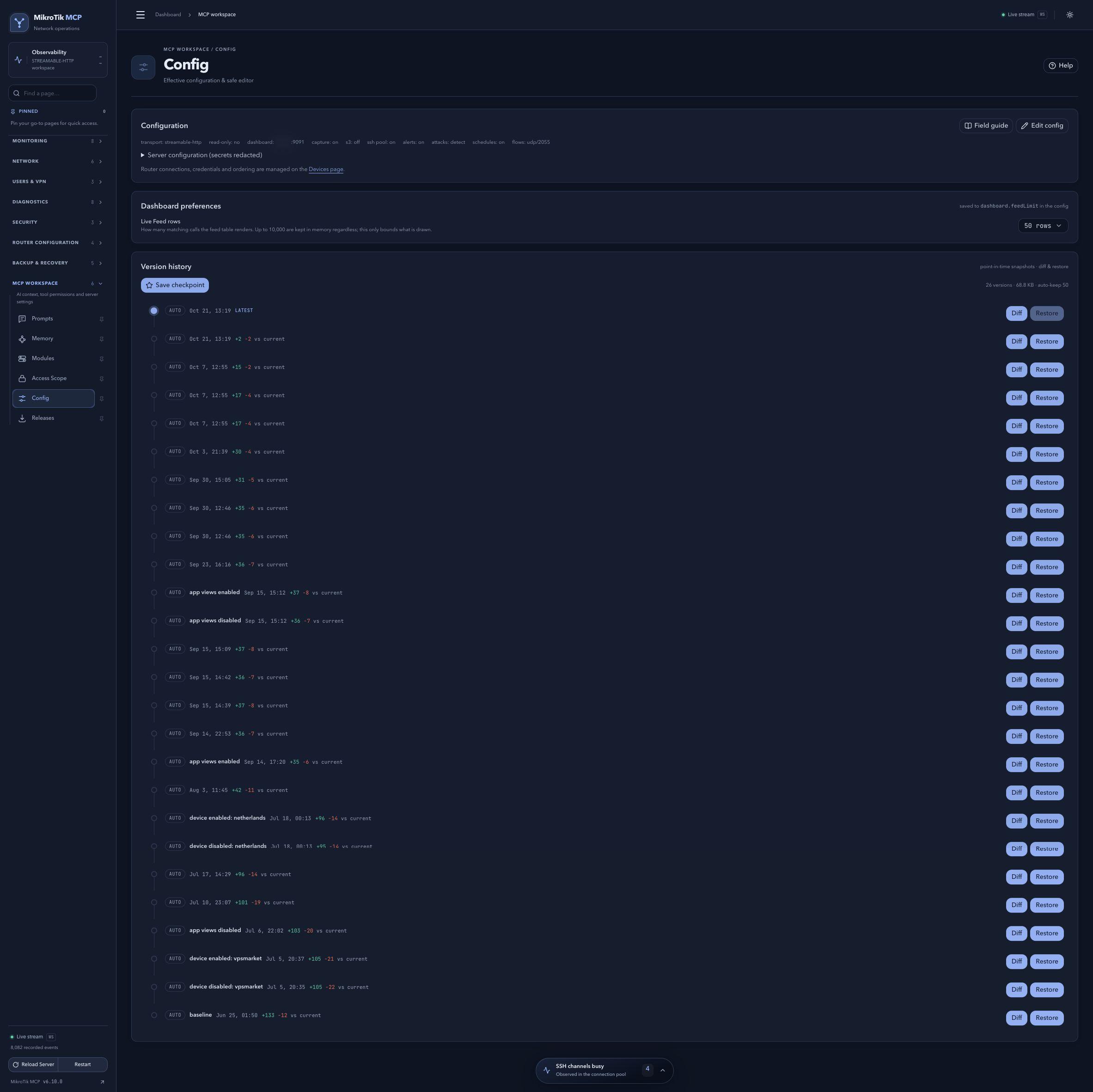 Full-page dashboard preview with IP addresses and snapshot/backup names blurredFull page · Click to enlarge ↗
IP addresses, snapshot/backup names and AAA/OpenVPN usernames are blurred in this full-page capture.