
Keep a rolling record
Open Diagnostics → Flight Recorder (#flight-recorder) and select a router. Capture settings enables read-only collection on the MCP host.
| Setting | Allowed range |
|---|---|
| Sample interval | 30–300 seconds |
| Rolling window | 15–360 minutes |
| Incident retention | 1–30 days |
The recorder retains up to 720 samples, 500 metadata events and 30 incidents per router. Settings persist across MCP restarts. Enabling collection does not change router logging or network configuration.
Pause stops collection; it does not immediately delete existing evidence. Retention limits still apply.
Preserve an incident
Choose Freeze incident, enter a title and select Preserve window. This saves the available lead-up and, while recording, two minutes of follow-up.
Use the history list to switch between the live rolling window and saved incidents. An incident remains “recording” until its follow-up completes. Export evidence downloads the selected incident as JSON.
Read the evidence
- The signal chart distinguishes management responses, read failures and unavailable/skipped samples. Its line shows CPU only when measured.
- The timeline combines router-event metadata, MCP write/failure metadata when available, and explicit coverage gaps.
- Times use MCP host receipt time. Router clock values are shown separately and are not automatically corrected.
- An old or absent last sample is unknown, not healthy. The view refreshes every ten seconds while visible and idle.
A management timeout does not prove a tunnel failure. Logs are polled over SSH, not collected through lossless syslog; raw log messages are not stored. An empty timeline does not prove that no changes occurred.
See Flight Recorder storage and collection and its tools.
Screen preview
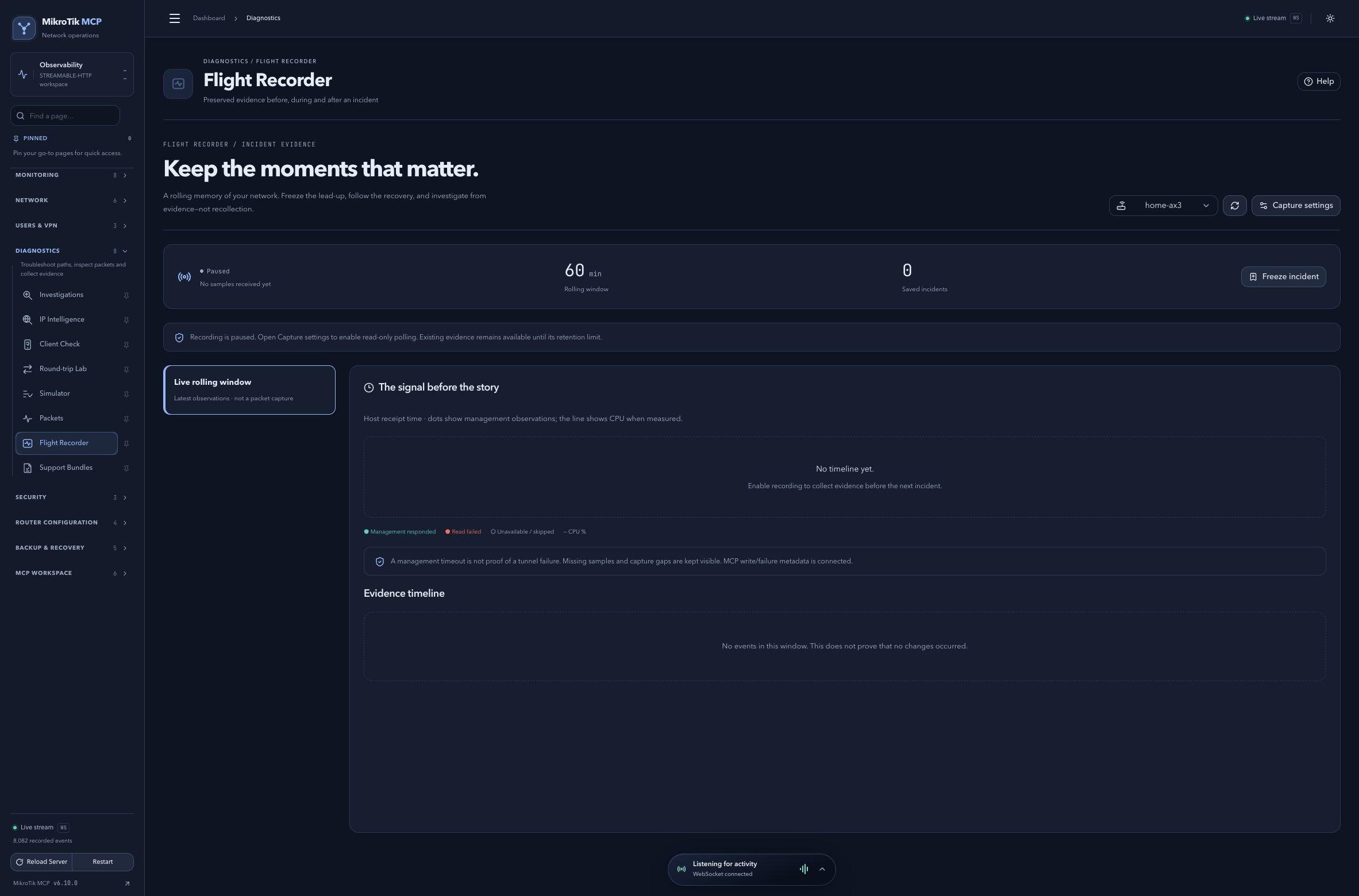 Full-page dashboard preview with IP addresses and snapshot/backup names blurredFull page · Click to enlarge ↗
IP addresses, snapshot/backup names and AAA/OpenVPN usernames are blurred in this full-page capture.