
Prepare a local report
Open Diagnostics → Support Bundles (#support-bundles) and select a router.
- Choose Last hour, 24 hours, 3 days or 7 days.
- Include tool activity, configuration inventory and/or client measurements.
- Optionally select up to ten investigations created within that window.
- Choose Prepare private preview.
Preparation uses saved evidence only: it does not query a router or upload data. Tool activity includes names, timings and outcomes without raw arguments or output. Configuration inventory includes section names and counts, not exports or values. Client measurements exclude invitation tokens.
Review before downloading
The preview shows the exact minimized report and its SHA-256 digest. IP/MAC addresses and names become consistent aliases; the reverse map is discarded. Passwords, private keys, raw logs, personal labels and hostnames are excluded.
Read the entire preview and acknowledge the review checkbox to enable Download HTML or JSON. HTML is self-contained and script-free. Downloading does not share or upload the report.
Minimization is not anonymity: timestamps and relationships may still identify an environment.
Saved reports
Select an earlier report to inspect it; each selection resets the review acknowledgement. Delete report requires confirmation and removes only that saved report. Original evidence and previously downloaded copies remain.
See evidence workflows and Support Bundle tools.
Screen preview
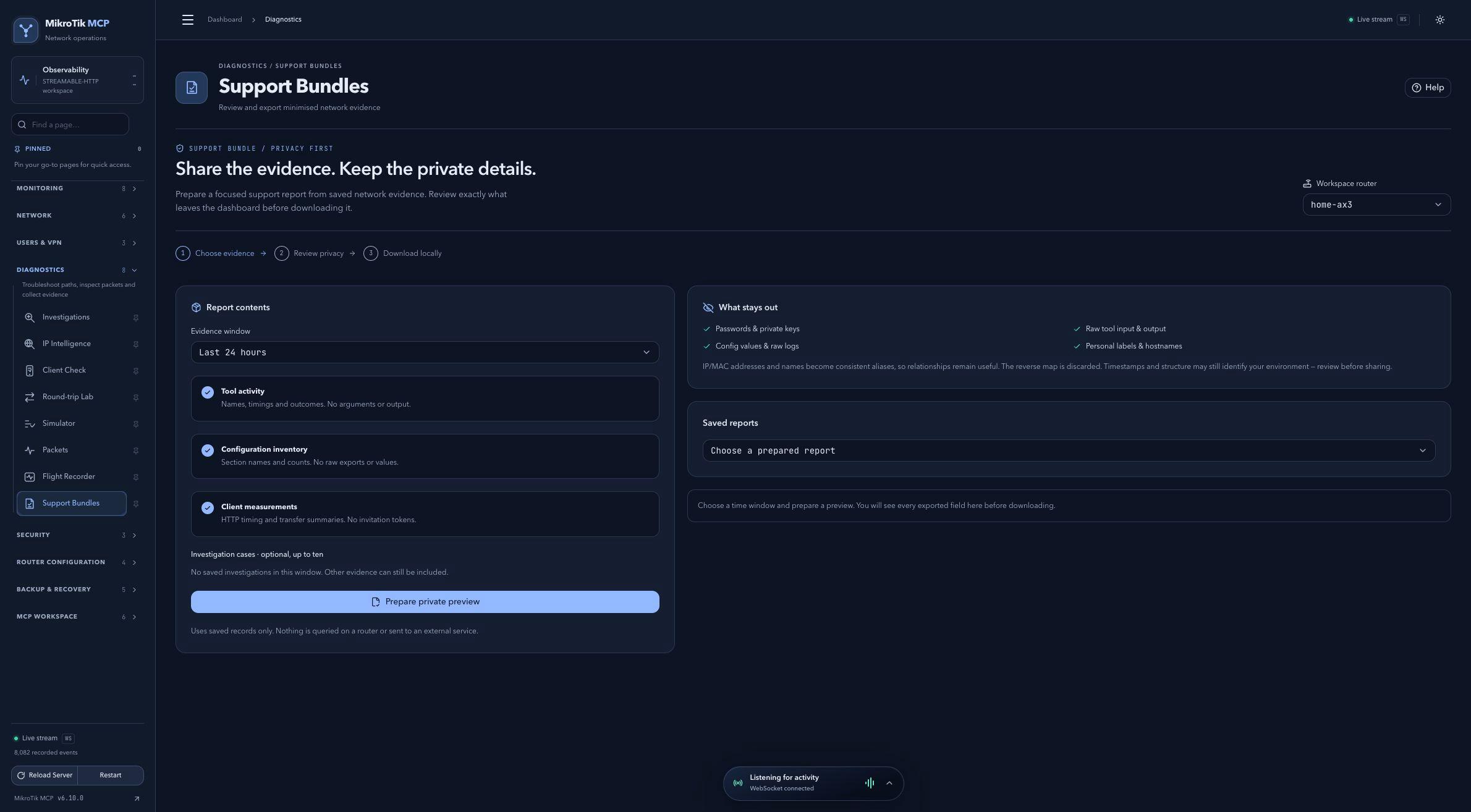 Full-page dashboard preview with IP addresses and snapshot/backup names blurredFull page · Click to enlarge ↗
IP addresses, snapshot/backup names and AAA/OpenVPN usernames are blurred in this full-page capture.