
Set a known-good baseline
Open Backup & recovery → Drift Guard (#drift). Fleet cards distinguish no baseline, in sync and drifted devices; summary counts refresh every 15 seconds.
Choose Set Baseline, select one of the router's recent saved snapshots, optionally label it, then Set as Baseline. If none exists, capture one with capture_config_snapshot first.
Compare with the router
Select a device card and choose Check Now. Opening the detail panel alone does not run the live comparison.
The report shows capture time, added/removed/unchanged lines, a drift score, affected sections, available change attribution and a unified diff. Attribution is correlation with recorded activity, not proof of who made every change.
The Baseline Manager shows the source snapshot, date, setter, label, size and hash. Remove Baseline removes the baseline association; it does not restore or modify the router.
Accepting a new baseline
Capture and review the desired configuration, then select that explicit snapshot as the new baseline. Known limitation: the current dashboard's Promote as Baseline action reuses the report's existing baseline ID; it does not capture the newly observed configuration. Use explicit snapshot selection or config_set_baseline instead.
Drift detection does not automatically reconcile configuration. Review a change plan separately before restoring or modifying a live router.
See configuration snapshots and baseline tools.
Screen preview
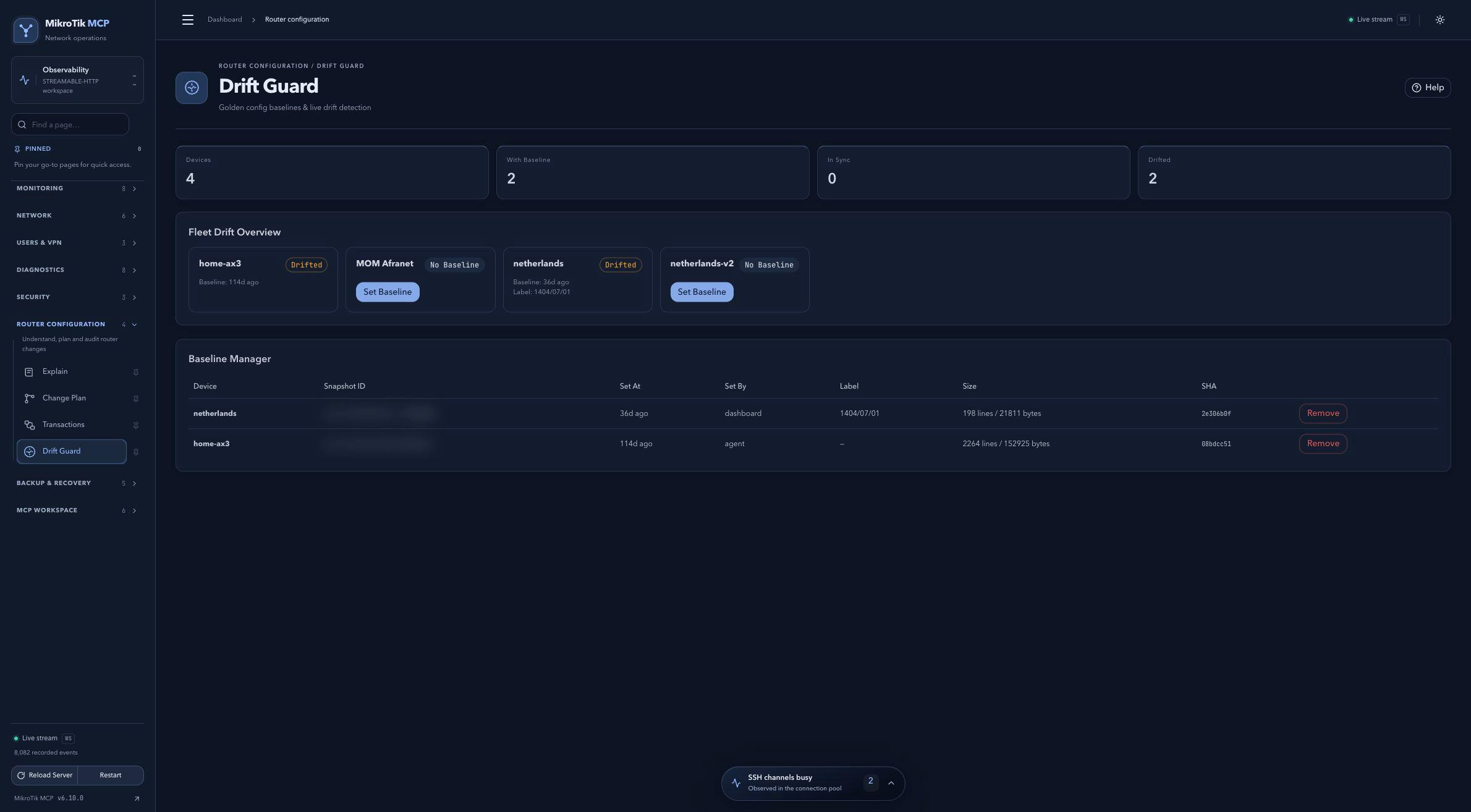 Full-page dashboard preview with IP addresses and snapshot/backup names blurredFull page · Click to enlarge ↗
IP addresses, snapshot/backup names and AAA/OpenVPN usernames are blurred in this full-page capture.