
Inspect and map
Open Backup & recovery → Router Migration (#router-migration). Choose the replacement as the workspace router, select a different source, then choose Inspect both routers.
Inspection reads hardware, interfaces, packages and exports with secrets hidden. It does not change either router.
- Reserve a dedicated target Ethernet port for management; keep an independent connection through it.
- Map each source Ethernet port to its target port, or choose Not transferred.
- Select configuration sections to prepare. Missing dependencies, collisions and unsupported properties can block a section.
- Choose Build migration preview.
Review the exact plan
Inspect the additive command diff, fingerprint, blockers and sections requiring manual handover. The source stays unchanged. Existing target configuration is not replaced.
New bridges, ports, IP addresses, DHCP, routes and firewall rules are staged disabled; pools and lists are inert dependencies. VPN keys, certificates, Wi-Fi, scripts, users and device-specific settings need separate review. Captured backups are configuration exports, not copies of certificates or private keys.
Rehearse or stage
A preview lasts five minutes. Confirm the exact commands and acknowledge any manual sections before choosing an action.
| Action | Behavior |
|---|---|
| Rehearse & roll back | Writes under Safe Mode, then rolls back. This consumes the preview; create another before staging. |
| Back up & stage inactive | Captures backups and commits inactive additions. It does not activate the replacement LAN. |
| Export cutover checklist | Downloads activation commands for manual review and the client verification checklist. |
| Undo staged objects | After confirmation and a fresh target backup, removes only this plan's unchanged, inactive objects under Safe Mode. |
Complete the handover
Disconnect the old router's production links before enabling duplicate addresses or DHCP. Complete manual sections, retain a local console, then verify DHCP, DNS, internet and VPN from a real client.
Saved plans remain available in history. On an error or uncertain outcome, inspect the target before retrying.
See migration boundaries and migration tools.
Screen preview
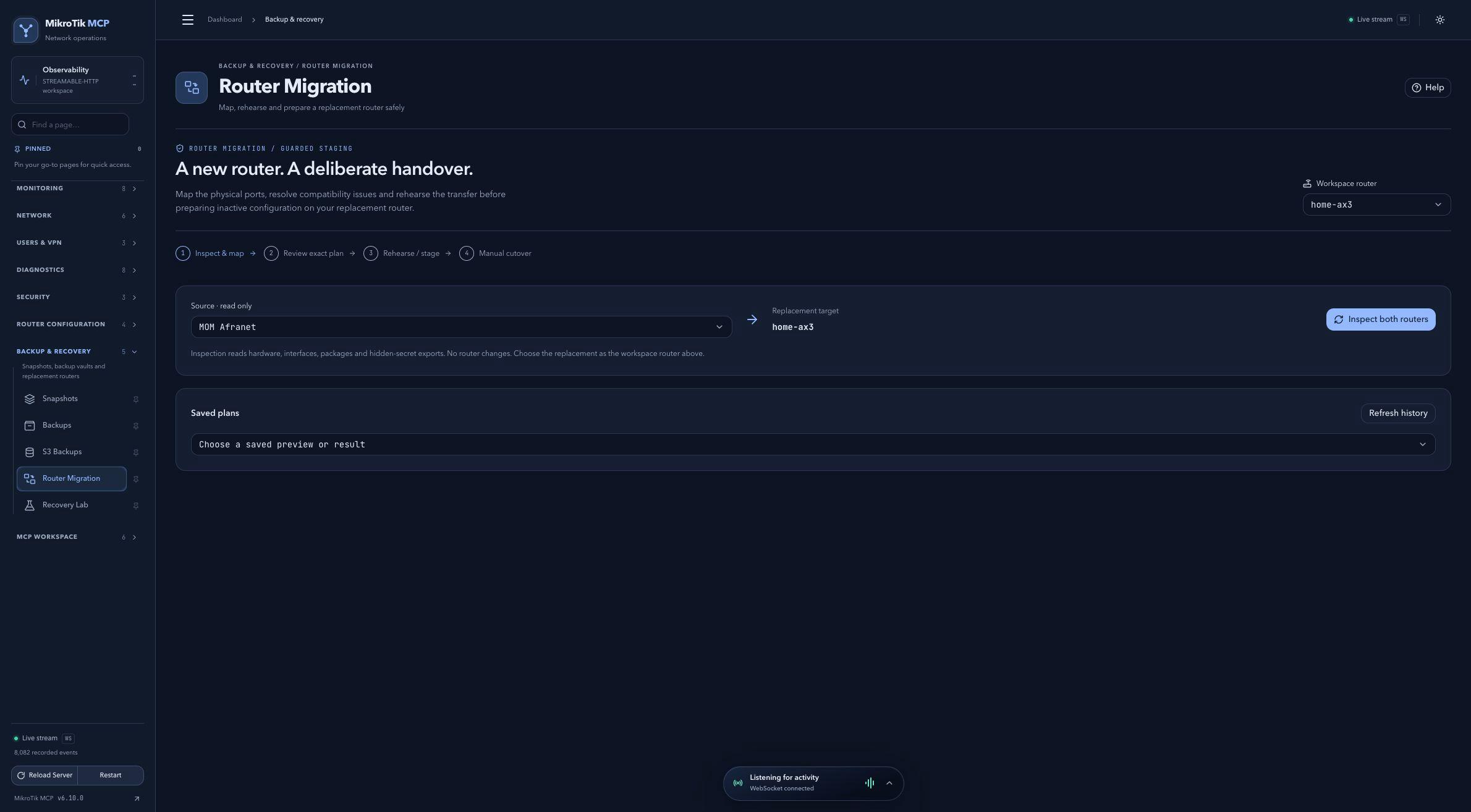 Full-page dashboard preview with IP addresses and snapshot/backup names blurredFull page · Click to enlarge ↗
IP addresses, snapshot/backup names and AAA/OpenVPN usernames are blurred in this full-page capture.