
Keep export backups on the MCP host
Open Backup & recovery → Backups (#backups). This vault stores text .rsc exports. It is separate from Snapshots and is not a RouterOS binary backup containing every device file or secret.
Create and manage
- Choose the router and an optional label.
- Choose export flags: show-sensitive includes available secrets; verbose includes defaults; compact requests non-defaults and is ignored when verbose is selected; terse uses machine-readable lines.
- Select Create backup, then verify the reported filename and byte count.
Upload .rsc adds an existing text export to the vault; it does not import it into a router. Rows show device, size and modification time. Use view, download, rename or the two-step delete confirmation. Downloaded copies are not removed when a vault file is deleted.
edit path → Save path changes the host backup directory. Check the result: the server distinguishes a persisted setting from a runtime-only change. Changing the path does not mean existing files have been moved.
Restore with care
Select restore, verify the target router, then choose:
- Dry-run: executes restore commands in Safe Mode, then rolls them back. This can temporarily affect live traffic; it is not offline simulation.
- Restore (commit): executes and keeps the change if successful.
- Cancel: closes the restore controls without starting either operation.
Keep an independent management path and a fresh recovery copy. Safe Mode is a rollback mechanism, not a guarantee against every failure. Review the returned applied/committed state and verify the router afterward.
See snapshot and reconciliation concepts and Safe Mode.
Screen preview
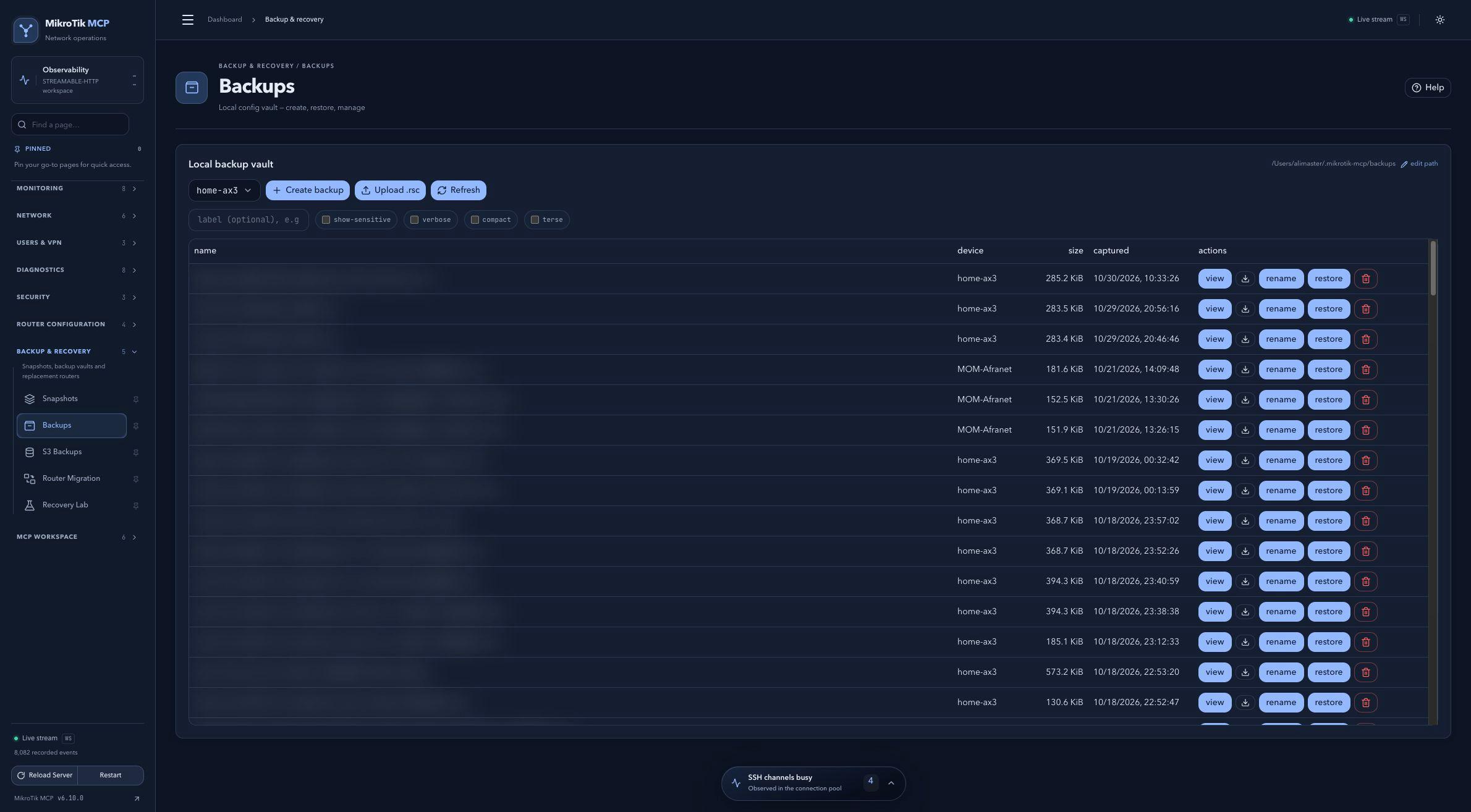 Full-page dashboard preview with IP addresses and snapshot/backup names blurredFull page · Click to enlarge ↗
IP addresses, snapshot/backup names and AAA/OpenVPN usernames are blurred in this full-page capture.