
Check configuration against your rules
Open Router configuration → Policies (#policies). The counters summarize loaded rules, rule files, invalid files and devices with recorded scores.
Choose Run check to evaluate the configured policy set. The compliance list shows each device's latest score, pass/fail/not-applicable counts and recent score trend. A fresh run also displays the rule-by-device matrix and findings ordered by severity.
These checks inspect configuration; they do not fix violations or change routers. A score is scoped to the loaded rules and available evidence, not a complete security assessment.
Inspect and validate rules
Expand Rules → Show to read each valid file's rule IDs, severity and description. Invalid files expose validation issues. Duplicate IDs are called out: the first definition wins.
Paste YAML into Rule validator and select Validate. This validates the draft; it does not save the text as an active rule file.
A rule matching no records is not applicable, not a pass. Assertion operators have different missing-field semantics; consult the guide before writing a rule such as “must not be yes.”
See rule syntax, configuration and SARIF export. Use Policy Verifier for packet-intent suites, which are a separate feature.
Screen preview
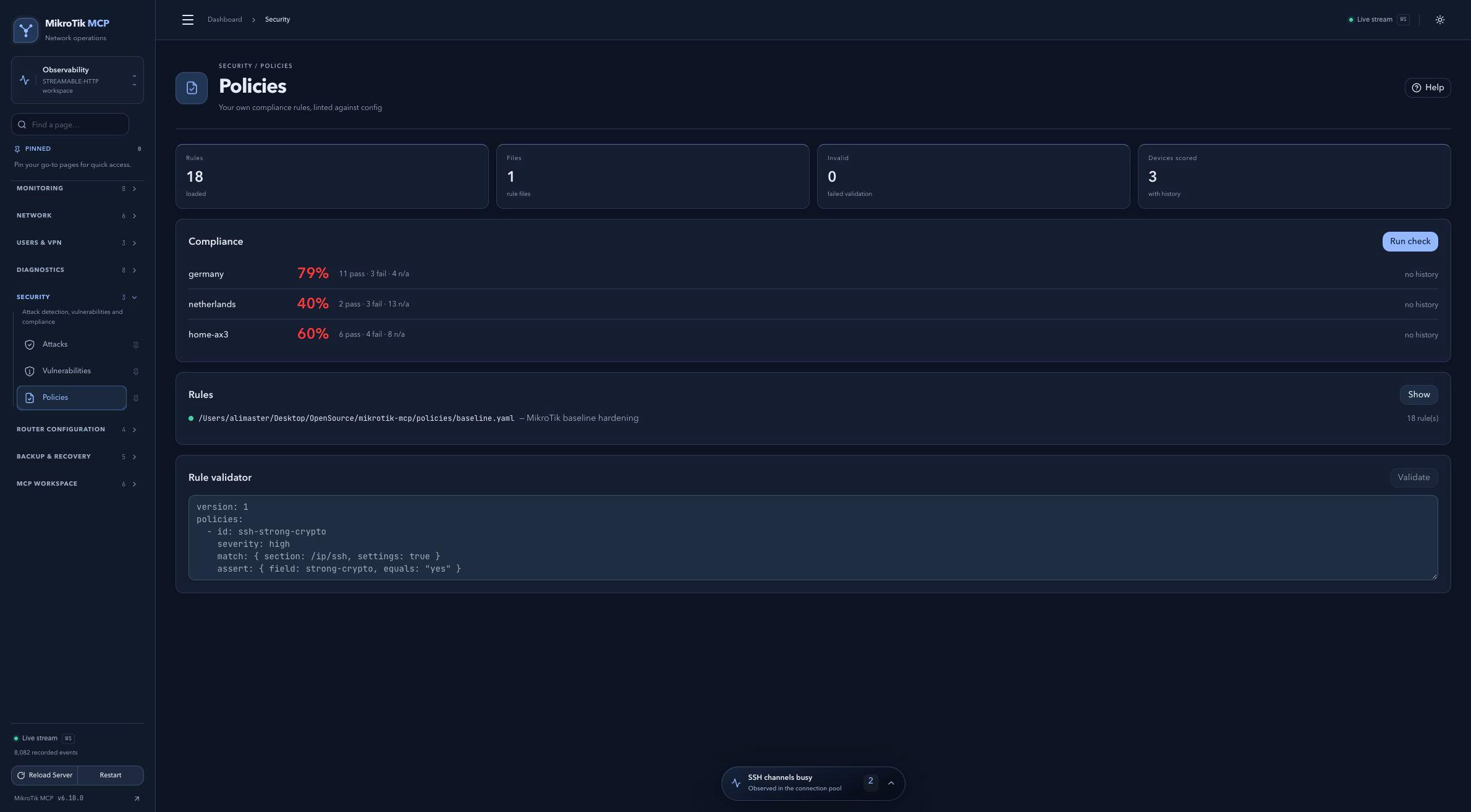 Full-page dashboard preview with IP addresses and snapshot/backup names blurredFull page · Click to enlarge ↗
IP addresses, snapshot/backup names and AAA/OpenVPN usernames are blurred in this full-page capture.